How to Build Sales Funnel with ClickFunnels
Funnels are the backbone of any effective online sales strategy. If you’re trying to build a sales funnel with ClickFunnels, understanding the basics can save you tons of time and guesswork. Funnels guide potential customers through a series of steps – from awareness to purchase – so you don’t leave money on the table. Yet as a motivated beginner, you might know the idea of a funnel but still feel overwhelmed by the details: choosing a funnel template, writing the perfect headline, setting up email sequences, and ensuring everything actually converts.
👉 If you’re ready to start building, you can open your free ClickFunnels 14-day trial here.
Luckily, the ClickFunnels platform has a user-friendly interface and built-in templates that make each step straightforward (even if you’re not a tech or design expert). In this tutorial, we’ll break down the process step-by-step, so you can confidently create your first ClickFunnels funnel. By the end, you’ll know how to sign up for ClickFunnels, pick the right funnel type, build the key pages (from headline to checkout), and set up email automation. Think of each step as a building block: we start with the foundation and add layers of optimization. Ready to demystify the process? Let’s jump in and see exactly how to build your first sales funnel with ClickFunnels.
By the way, If you want a broader view of the landscape, I’ve also put together a complete 2026 guide to digital tools covering AI, CRM, productivity platforms, automation tools and more.
Step 1: Sign Up & Dashboard Overview – Build a Sales Funnel with ClickFunnels
First, sign up for ClickFunnels. The platform offers a free 14-day trial – no credit card required to start experimenting. Just enter your email and create an account. Once you’re logged in, take a tour of the ClickFunnels dashboard. You’ll see a clean layout: a sidebar or top menu with sections like Funnels, Contacts, Automation, and Help.
- Sign up for the trial: Go to the ClickFunnels website and look for the signup form. The free trial lets you test features without commitment.
- Explore the main menu: Click on Funnels first. This is where all your funnels and templates live. You may also see other tabs for Contacts (your leads) and Automation (email sequences).
- Check out templates: Under Funnels, browse the gallery of pre-made templates. You’ll find categories like opt-in funnels and sales funnels. These templates are ready-made paths that you can customize for your product or service.
At this point, you’ve created your account and have a feel for the dashboard. You’re ready to move on to building a sales funnel with ClickFunnels – with confidence.
Start your free 14-day ClickFunnels trial
Step 2: Choosing a Funnel Type – Build a Sales Funnel with ClickFunnels
Choosing the right funnel type is crucial. ClickFunnels has different templates depending on your goal. For example:
- Opt-In Funnels: If your goal is to collect email addresses, use an opt-in (lead magnet) funnel. It often starts with a squeeze page offering a freebie (like an ebook or checklist) in exchange for an email.
- Sales Funnels: For selling a product or service, pick a sales funnel template. These funnels lead visitors to a product page and checkout. They often include order bumps or upsells to increase value.
- Webinar Funnels: Planning a webinar? A webinar funnel guides visitors through registration, confirmation, and reminders. It’s perfect for lead generation via webinars.
Each funnel type has a specific flow. Opt-in funnels focus on building your list, sales funnels focus on transactions, and webinar funnels focus on registrations. Consider what action you want from prospects. Once you decide (for example, you might start with a simple opt-in funnel), select that template in ClickFunnels. This choice will shape the pages you build next.
Want to try your chosen funnel type?
Open ClickFunnels with my recommended starter setup
Step 3: Building the Pages (Headline, Offer, Checkout) – Build a Sales Funnel with ClickFunnels
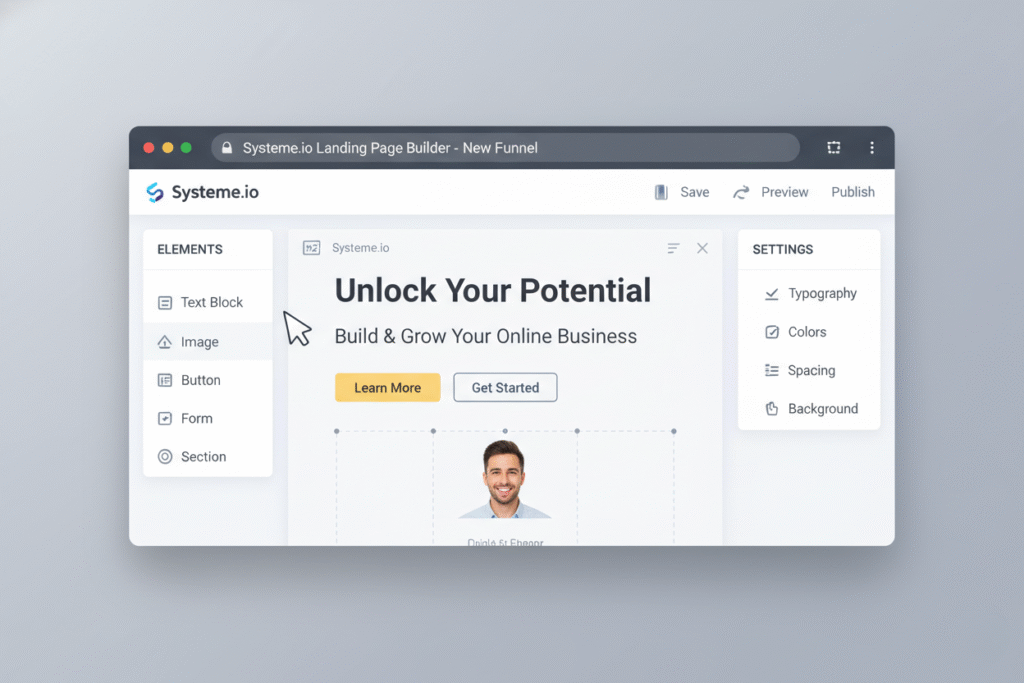
Now it’s time to build your funnel pages. ClickFunnels uses a visual drag-and-drop editor. Your funnel will typically have at least a landing page (with a headline and offer) and, if it’s a sales funnel, a checkout page. Focus on these elements:
- Headline: This is the first thing visitors see. Make it benefit-driven (e.g. “Get Your First 5K Followers”). The headline should clearly convey the main value or promise of your offer.
- Offer Description: Explain what you’re providing. Use subheadings, bullet points, and images to describe features or benefits. Keep the copy concise and customer-focused. If it’s a free download, say what’s inside it; if it’s a product, highlight why it’s worth buying.
- CTA Button: Include a strong call-to-action button (like “Download Now” or “Buy Now”). The button should stand out in color and link to the next step in your funnel.
Try building your first funnel page inside ClickFunnels
- Checkout Page: (For sales funnels) Set up your product details and pricing. ClickFunnels lets you configure payment options here. Show an order summary and secure checkout. You can also add order bumps (small additional offers) on this page.
- Thank You Page: (Optional) After a sign-up or purchase, create a confirmation page thanking the user. This completes the funnel experience and confirms the action.
Use ClickFunnels to arrange these elements on each page. You can add images, videos, forms, and more. Remember to keep the design clean: plenty of white space, clear fonts, and a simple layout. When you customize the template, always preview the page on desktop and mobile views. This ensures your funnel looks great on phones and desktops alike.
Step 4: Setting Email Automation inside ClickFunnels – Build a Sales Funnel with ClickFunnels
Email automation is key to keeping leads engaged. In ClickFunnels, this means connecting an email service and creating follow-up sequences. Here’s how to get started:
- Integrate an email tool: ClickFunnels has its own email feature (Actionetics), but you can also use popular tools like Mailchimp, ConvertKit, or ActiveCampaign. Go to Account Settings > Integrations and connect your email provider. This allows ClickFunnels to add contacts to your email list.
- Create an email list: In your account or email tool, set up a list or audience for this funnel. For example, create a list named “Webinar Leads” or “Ebook Subscribers.” When someone opts in, they should be added to this list automatically.
- Build a follow-up email sequence: Inside ClickFunnels, look for Automations or Follow-Up Funnels. Create a new sequence triggered by your opt-in form. Then write a series of emails (welcome message, valuable tips, special offers). ClickFunnels lets you customize email subjects, content, and schedule (e.g. send 1 day after sign-up, then 7 days later).
- Set rules for automation: Tag your contacts or use rules so that each lead gets the right emails. For instance, if they sign up for a webinar, tag them “Webinar_Registered” and trigger a special email sequence.
With these steps, new leads will automatically receive your emails. Testing tip: sign up with a test email to confirm the automation works. Remember, this email follow-up happens entirely within your ClickFunnels funnel, keeping leads moving toward your offer.
👉 Ready to test your own funnel?
Start with the ClickFunnels free 14-day trial
Step 5: Testing and Publishing the Funnel – Build a Sales Funnel with ClickFunnels
Before launching, you must test every aspect of your funnel. ClickFunnels provides tools for previewing and testing. Here’s your checklist:
- Walk through the funnel: Use the preview or publish the funnel privately and click through each step as if you’re a visitor. Opt in to your own list, complete the checkout, and see the thank-you page. This ensures there are no errors.
- Check form and payment: Make sure email addresses from opt-in pages are added to your email list. If it’s a sales funnel, use the ClickFunnels test order feature (or place a very small real order) to verify the payment process works smoothly.
- Review on mobile: ClickFunnels lets you preview pages on desktop and mobile. Ensure text is readable, buttons are tappable, and images scale correctly on smartphones and tablets.
- Domain & publishing: Decide how to publish the funnel. You can use ClickFunnels’ default domain (e.g. “yourbrand.clickfunnels.com”), or connect a custom domain (like www.yourwebsite.com) under Publishing Settings. Once set, make the funnel live by publishing it.
- Final checks: Double-check any SEO or tracking settings (like Google Analytics or Facebook Pixel if you added them). Review page titles and meta descriptions within each funnel step.
Once everything is tested, publish your funnel and start driving traffic. You now have a complete, live sales funnel built with ClickFunnels.
Tips: Optimization, Tracking, and A/B Testing
Effective funnels never stop improving. Here are some quick tips to optimize and track performance:
- A/B Testing: In ClickFunnels, you can clone a page and make a variation to test elements like headlines, images, or button colors. Send equal traffic to both versions and see which converts better.
- Use Analytics: Check your funnel stats daily. See how many visitors enter each step and how many convert. Use built-in ClickFunnels metrics or integrate Google Analytics/Facebook Pixel to gather more data.
- Optimize Headlines and Copy: If a step isn’t converting, try tweaking your headline or subhead. Small copy changes can make a big difference in click-through rates.
- Monitor Email Performance: Look at open and click rates for your follow-up emails. Adjust subject lines or content if open rates are low.
- Improve Page Load Times: Keep images optimized and remove unnecessary elements. Faster pages lead to better conversions, especially on mobile.
- Refine the Funnel Flow: Sometimes adding or removing a step (like a quick survey or a one-time offer) can boost sales. Test adding order bumps or alternate offers to see if revenue increases.
Use these tips over time. The more you test and track, the better your sales funnel will become with ClickFunnels.

Common Mistakes to Avoid When Building a Sales Funnel with ClickFunnels
New users often stumble on these pitfalls:
- Skipping the Basics: Not defining a clear offer or audience. If you don’t know who you’re selling to and what problem you solve, the funnel will lack focus.
- Rushing Design: Overloading pages with too much text or flashy elements. A cluttered page distracts visitors. Keep it clean and simple.
- Weak Call-to-Action: Using vague buttons like “Submit” instead of “Get Instant Access” or “Yes! Send My Ebook.” Always tell visitors exactly what will happen.
- No Email Follow-Up: Forgetting to set up follow-up emails or not using tags. This loses the chance to nurture leads. Always automate at least a basic thank-you email.
- Neglecting Mobile: Ignoring how the funnel looks on mobile. Many visitors are on phones, so pages must be mobile-responsive.
- Skipping Testing: Not previewing your funnel or checking each link. Always test your funnel end-to-end before publishing.
- Ignoring Analytics: Launching without tracking traffic or conversions. If you don’t measure, you won’t know how to improve.
- Abandoning the Free Trial: Missing out on learning ClickFunnels features during the trial. Use the trial fully; many leave money on the table by giving up too soon.
Avoid these mistakes to make your ClickFunnels experience smoother and your funnel more effective.
Conclusion
You now have a clear roadmap to launch your first funnel. By following these steps—signing up, choosing a funnel, building pages, and setting up automation—you’ll be able to quickly set up a complete sales funnel with ClickFunnels. The key is to start simple: pick one funnel goal, customize the template, and test it. Each small step you take builds momentum.
Remember that building a funnel is an iterative process. Monitor your results, make tweaks, and improve over time. The most important part is to get started.
Ready to try it yourself? Start your ClickFunnels 14-day free trial here so you can build your first funnel at no cost. Sign up now, pick a template, and use this guide to walk through each step. Your audience and future customers are waiting. Start building your first sales funnel with ClickFunnels today and watch your business grow!
want to read more about ClickFunnels? ClickFunnels Review 2026 – Is It Still the Best Sales Funnel Builder?