How to Choose Best CRM for Small Business
Introduction
For a small business, to choose best CRM for small business is a critical decision that affects everything from sales to customer happiness. A CRM (Customer Relationship Management) tool turns scattered leads and notes into an organized system of customer information, reminders, and sales pipelines. Without a CRM, you might rely on spreadsheets and memory: one missed email or forgotten follow-up can mean a lost customer. Many entrepreneurs feel frustrated with manual processes and cluttered data.
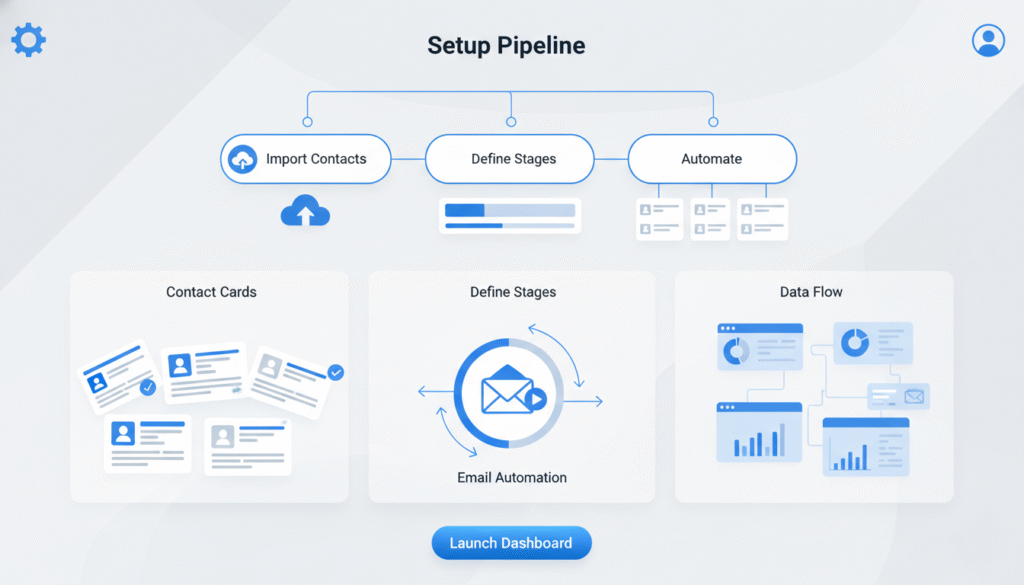
A good CRM solves these pain points by centralizing everything. It stores all contacts and communication history in one place so you and your team see the full story for each customer. It automates reminders and follow-ups, ensuring no lead falls through the cracks. And it provides a clear sales pipeline, so you always know which deals need attention. In short, the right CRM gives you the clarity and control that smaller businesses need to grow.
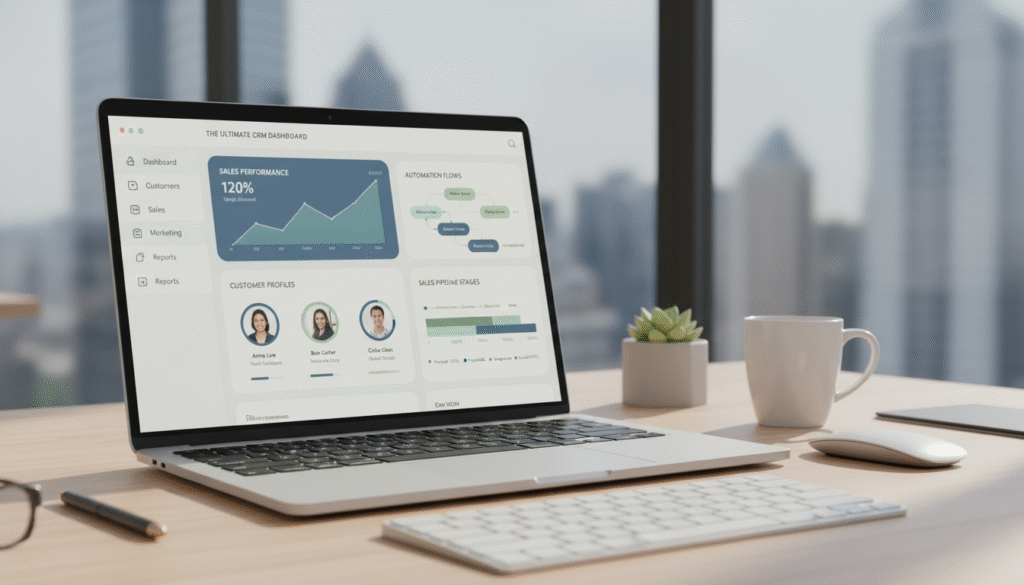
A well-organized workspace shows a CRM’s effect. Here, calendars and customer records are visible on clean screens. You spend less time switching between apps and more time building relationships and closing deals.
For businesses of all types – coaches, consultants, freelancers, and local shops – learning to choose best CRM for small business is the first step toward smoother operations and happier customers. For many, the key question is how to choose best CRM for small business that truly fits their unique needs.
What a CRM Actually Does
At its core, a CRM is software that manages your interactions with customers and leads. It replaces messy processes (like sticky notes and spreadsheets) with an all-in-one system. For example: – Centralized Database: All customer details and contact history live in one place. No more searching across multiple files. – Activity Tracking: Log every call, email, and meeting under each customer’s profile. This keeps everyone on the same page. – Automated Reminders: Instead of hoping you remember to call a lead, the CRM will alert you to follow up at the right time. – Sales Pipeline: Visualize every deal stage in a funnel or kanban board. See which prospects are hot or stuck, and act accordingly.
Without a CRM, small teams often face these problems: – Lost Leads: No system means leads can slip through the cracks. – Time Wasted: Manually following up and updating records eats up hours. – Inconsistent Service: Customers might fall through the cracks if the team isn’t synced.
A CRM fixes all that. For example, when a new lead comes in, the CRM can automatically assign a task, send a welcome email, and schedule follow-up reminders. As deals progress, everyone knows exactly what stage they’re at. Think of it as moving from a chaotic desk to the clear, dual-monitor setup above: all your key information and actions are visible at a glance, and nothing gets forgotten.
By the way, If you want a broader view of the landscape, I’ve also put together a complete 2026 guide to digital tools covering AI, CRM, productivity platforms, automation tools and more.
How to Evaluate a CRM for Small Businesses
When comparing CRM options, keep in mind your goal: to choose best CRM for small business that fits your needs. Consider criteria that match your processes. Keep a checklist and score each CRM on these factors:
Features You Must Have to Choose Best CRM for Small Business
Identify the core features your business cannot live without, then check if each CRM offers them. Common must-haves include: – Contact & Lead Management: Storing contact info, tagging leads, searching contacts. – Deal/Pipeline Tracking: Customizable deal stages and visual pipelines. – Task Management & Reminders: To-dos and notifications tied to contacts or deals. – Email Integration: Connecting with Gmail or Outlook so emails log automatically. – Basic Reporting/Dashboards: Visual summaries of pipeline status and team activity.
Make this list concise. If a CRM lacks one of your non-negotiable features, move on. By focusing on essentials, you ensure you choose best CRM for small business without paying for unused extras.
Automation Capabilities to Look For
Automation turns hours of work into minutes. Check for: – Email Sequences: Automated drip campaigns or follow-up emails. – Workflow Rules: “If X happens, do Y” triggers (e.g. move deal when a form is submitted). – Task Automation: Auto-create follow-up tasks based on actions or time triggers. – Lead Scoring/Segmentation: Automatically rank or tag leads by behavior (opens, clicks).
Even simple automations (like sending a thank-you note after a purchase) can save you time. The goal is for the CRM to handle routine tasks so you focus on building relationships.
Pricing Considerations
Be upfront about your budget and compare costs: – Free vs. Paid Plans: Many CRMs offer free tiers (often limited by contacts or features). A free plan can get you started. – Cost per User: If your team will grow, check the price per user. $10/user is fine for two people, but $30/user adds up fast. – Contact/Data Limits: Some plans limit contacts or storage. Know your starting point and how far it goes. – Hidden Fees: Watch for setup fees or charges for add-ons and higher-level features. – Value vs. Price: The cheapest CRM isn’t always the best deal. Consider how much time the CRM could save.
If you’re on a tight budget, find one that covers your must-haves at a reasonable price – you can upgrade as you grow.
Ease of Use
Even a powerful CRM is useless if no one uses it. Ensure it’s easy to learn and comfortable: – User Interface (UI): Look for a clean, intuitive design. – Setup Time: During trials, see how long it takes to add a contact or move a deal. – Training Materials: A good CRM offers tutorials, videos, or guides to help you get started. – Mobile Access: If you or your team are on the go, test the CRM’s mobile app or mobile site. – Onboarding Support: Some CRMs assist you with initial setup or guided onboarding.
For example, favor tools your team can start using right away, because the easier it is to use, the easier it will be to choose best CRM for small business that your team will actually adopt.
Integrations
Your CRM should connect with the apps you already use: – Email & Calendar: Gmail, Outlook, or Microsoft 365 for auto-logging and scheduling. – Marketing Tools: Facebook Lead Ads, Mailchimp (if not built-in), Google Ads, etc. – E-commerce & Payments: Shopify, WooCommerce, or Stripe to sync orders and payments.
The more it integrates, the more you centralize work. For instance, an integration can automatically create a lead from a web form entry.
Scalability
Think about tomorrow, not just today: – Data Capacity: How many contacts/deals can you store? Ensure it handles growth. – Team Growth: How easy (and costly) is it to add more users? – Advanced Modules: Can you add marketing automation, customer support, or billing features later? – Upgrading Plans: Is it straightforward to move up as needed?
You don’t want to outgrow your CRM in a few months. Think ahead now to ensure you choose best CRM for small business that can expand with you.
Support
Reliable support is essential: – Channels: Look for email/chat/phone support. 24/7 support is a big plus for global businesses. – Knowledge Base: A searchable help center or community forum can solve issues quickly. – Response Time: During trials, contact support. Fast, helpful replies are a good sign. – Language/Region: If you’re outside the U.S., make sure support is available in your time zone or language.
Great support ensures you’re never stuck. It might be the tie-breaker in your decision. Prioritize CRMs with strong support so you choose best CRM for small business knowing help is there.
Choosing the right CRM becomes much easier when you look for a solution that brings all the essential tools together without overwhelming you.
And this is exactly where EngageBay CRM stands out. It delivers the perfect balance between power, simplicity, and affordability — combining contact management, automation, pipelines, email marketing, and customer support in one clean, easy-to-use platform.
For small businesses, coaches, freelancers, agencies, and service-based teams, EngageBay offers everything discussed in this guide: organized data, strong automation, intuitive pipelines, great integrations, and pricing that actually makes sense.
If you want a CRM that covers all your needs without the complexity or high costs of enterprise platforms, EngageBay is the smartest place to start.
👉 Start your free EngageBay account today and experience how much smoother your business runs when everything is finally in one place.

Mistakes to Avoid When You Choose Best CRM for Small Business
Even smart business owners make mistakes when selecting a CRM. Learn from these common errors: – Skipping Requirements and Trial: Buying a CRM without listing your needs (and testing the trial) is risky. Always write down what you actually need (e.g. email sequences, pipeline visibility) and test them. – Choosing by Price Alone: Don’t pick a CRM just because it’s cheap. A low-cost tool might save money upfront but cost you time and missed opportunities. – Overlooking Usability: A complex CRM is useless if no one uses it. Involve your team early: if they struggle during the trial, find a simpler option. – Ignoring Data Migration: Moving your existing contacts can be tricky. Check how easy it is to import data. Underestimating this can cost hours. – Not Testing Enough: Don’t rely on demos alone. A CRM might look great until you try it. Use free trials with real or sample data. If something doesn’t work well, it’s a red flag.
Avoiding these mistakes puts you on the right track. By doing your homework and testing thoroughly, you’ll make a confident decision.
Choosing a CRM shouldn’t lead to confusion or frustration. The wrong system often causes the very problems you wanted to solve. This image shows team members collaborating smoothly – just as your team will, once everyone is on the same page with the right CRM. Staying focused and avoiding the errors above will help your selection go smoothly.
Step-by-Step Framework to Choose Best CRM for Small Business
Use this simple process to pick the right CRM:
- Define Your Goals: Write down exactly what you want the CRM to do. Examples: “Track leads from our website,” “Automate welcome emails,” or “Manage service tickets.” This guides your search.
- List Features and Budget: Based on your goals, note must-have features and how much you can spend. If you need email campaigns, include that. If cost is tight, mark your budget.
- Shortlist and Compare CRMs: Find 2–3 CRMs that meet your criteria. For example, include EngageBay (free plan and basic marketing tools) and Ontraport (advanced automation). Write pros and cons for each.
- Use Free Trials: Sign up for trials of your shortlist. Test them with real or sample data. Try adding leads, moving deals, and sending emails. Involve team members if possible.
- Compare Plans and Support: After trials, review pricing. Which plan gives you needed features at a sustainable price? Also check support – how helpful were they during your trial?
- Decide and Implement: Choose the CRM that fits most of your needs. Then train your team on how you’ll use it.
By following these steps, you remove guesswork. You’ll learn how each option feels in practice, which helps you choose best CRM for small business based on real experience.
Conclusion
Selecting the right CRM is one of the most important choices a small business can make. We’ve covered what a CRM does, how to evaluate options, and steps to guide your decision.
Use this guide to clarify your needs and compare options. When you follow these steps, you won’t be guessing – you’ll be making an educated choice. After clarifying needs and testing options, you will be ready to choose best CRM for small business with confidence. With this plan, you have what it takes to choose best CRM for small business that aligns with your goals.
The right CRM will streamline your sales and marketing, keep customer data organized, and free up your time. It will transform how you work and interact with customers. Now go ahead and pick the tool that feels right for your team. You’ll soon see the payoff in efficiency and happier customers. Make a confident choice!
Want to read more about EngageBay CRM?
Check out the full review here: EngageBay Review 2026: Affordable All-in-One CRM Alternative to HubSpot.